Archive for April, 2009

Today we released a minor version of ForeUI: V1.02, it is a bug fixing version.  One of the bugs is reported by Henry Stevens, thank you so much Henry :-)

The bugs fixed in this version are:

Bug_0033: List, Menu, Table and Tree change text with the copied object together.

Bug_0034: Specify an image to a button, undo the action, then button text contains “[img-1]“.

Bug_0035: Copy and paste actions may not be undo/redo in some cases.

Bug_0036: Edit text of element within a group, click empty area to stop, some error messages in log file.

Dear friends, you are welcome to report bugs or share great idea with us :-)

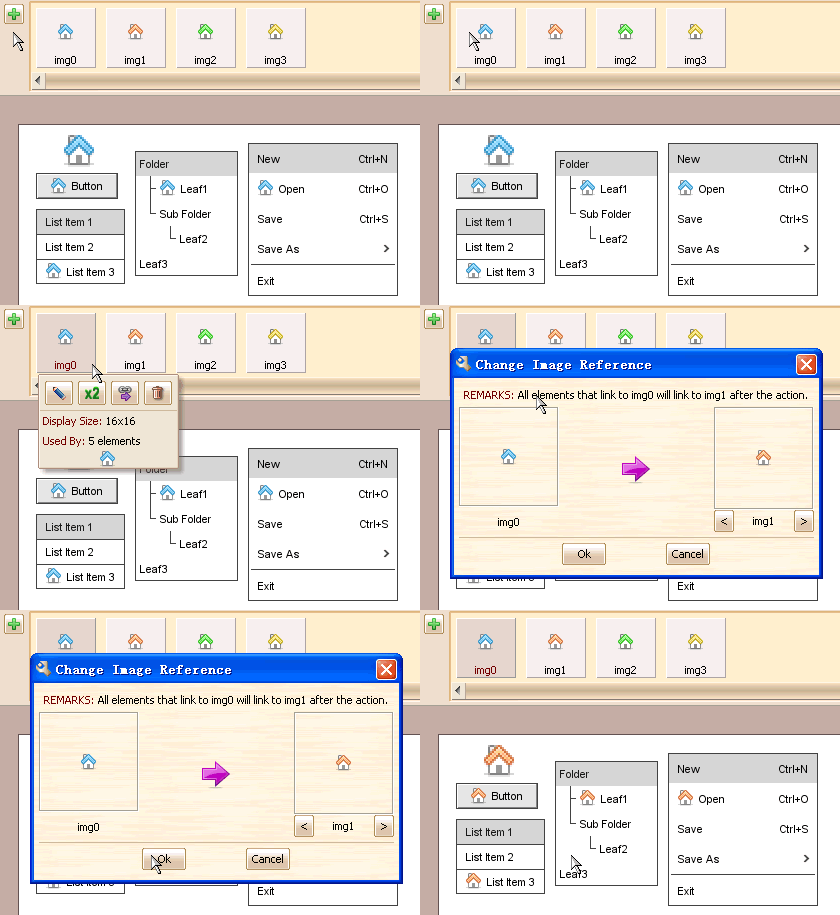
Today I’d like to introduce an interesting feature in ForeUI: batch changing image reference.  Sometimes we have used an image a lot in a plot, but want to change it to another image.  How can we achieve that?  Changing the image reference one by one?  It works but very time consuming.  In this case we need to use the batch changing image reference feature in ForeUI.

Let’s expand the image dock by clicking the  button, then click the image that we want to change, a popup menu will be shown and we can find a  button on it, then we click it and choose the target file we want to change to, that’s all.  The GIF animation below shows the details:   change_img_link
It’s my pleasure to announce that ForeUI V1.00 is released today!

By releasing alpha and beta version of this product, we got a lot of feedbacks, thus we can improve this product a lot in the official release.  Hereon, we must offer our heartfelt thanks to all friends that gave us feedbacks.

Comparing with beta, there are lots of enhancements and new features present in this version.  The most interesting one is the image drag and drop feature.  I have post a blog about image usage in ForeUI before, now it will be more flexible to use image by drag and drop feature:  it allow us to drag image from image dock to the plot, the image can be drag into element too.  The GIF animation below shows the details:
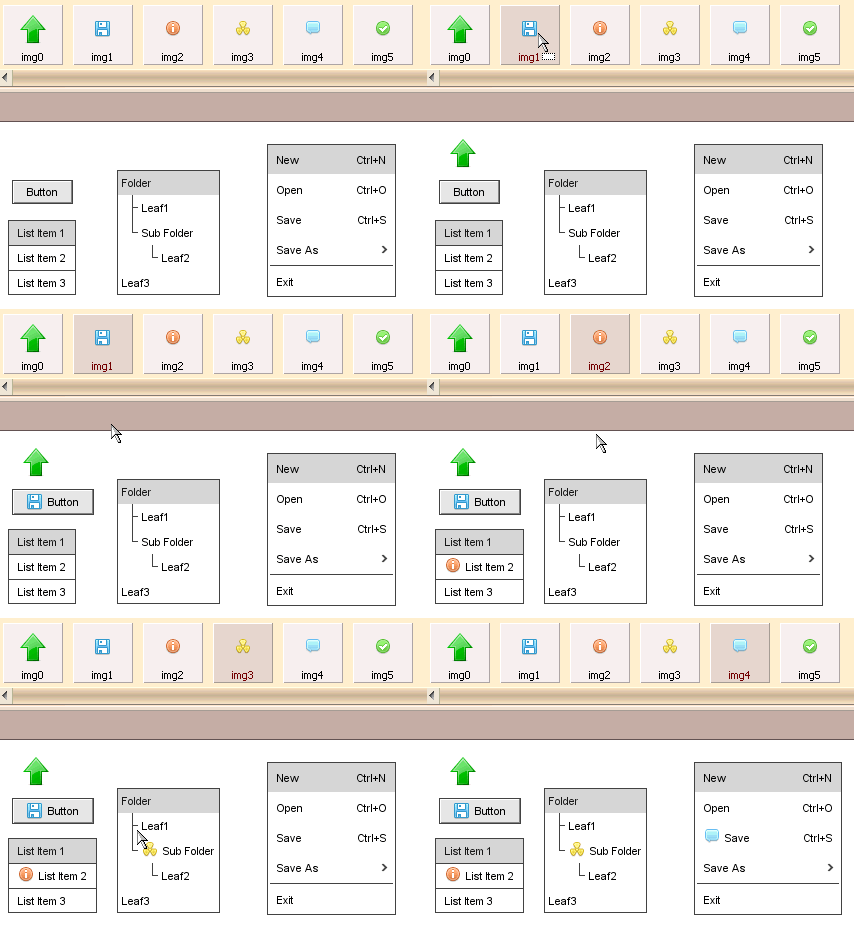
drag_imageOf course, as we promised before, the Mac OS X UI theme is available in this version.

I will keep writing blogs to introduce some interesting features in ForeUI.

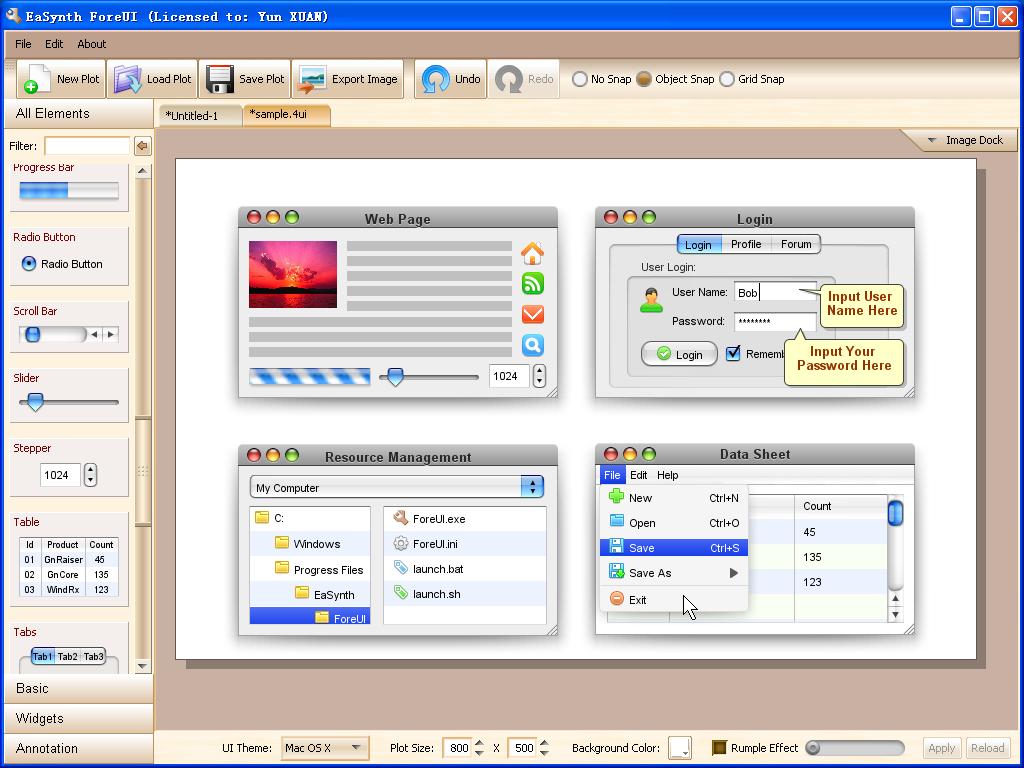
The development of Mac OS X UI theme is finished and we are testing on it.  Now let’s have a preview first:

mac_os_x_theme

We believe this kind of UI themes are very useful when making design document, since it is very close to the final result, developers can follow up and implement the UI with its help. 

The Mac OS X UI theme will be available in the offical version 1.00, which will be delivered next week.

I am happy to announce that ForeUI beta is released today :)

What’s new in this version?  Comparing with alpha version, there are many new features and bug fixings, I don’t want to list all of them here.  The most important difference is that we can use a new UI theme: Windows XP

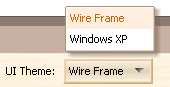
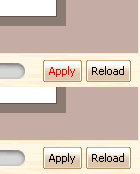
We can switch the UI theme of our design with just 3 clicks:  Click the combo box to show the themes list; Click the target UI theme; Finally click the “Apply” button to take effect.  The following two figures shows the key points.


When we create UI prototype for our product with ForeUI, we may need to use some images (for example, icons in menu).   ForeUI provides a very flexible and easy way to manage the images within the mockup, there is an “image dock” for every mockup, which will maintain all used images. 

The image dock is hidden by default, since we don’t need to work on it directly  in most cases, but it is working silently  in the background.  It just like a storehouse, caching all images that used by any element.    Each image in the dock will have its own identification, any element that use this image is actually link to its identification.   For example, a button use the image with “img1″ identification as its icon,  you can insert the “[img1]” at the beginning of its text, and ForeUI will recognize it and show the image as the icon of button.

edit-button-text1

Yes we can input that “[img1]” in the button text to assign an icon for it, but we don’t have to do so,  since we have more convenient approach:  specify the image in the floating tool panel, see the figure below:

specify_image

We don’t have to understand how the image dock works, we just choose the image we need, ForeUI will take care of all the rest.  We can check the image dock at any time, just click the “Image Dock” button on the top-right corner of the plot, we can see all used  images:

 imagedock_list1

You can single-click each image in the list to see what can we do on it, also you can double-click it to make some processing on the image.  Remarks:  Once you make change on the image, all elements that use this image will be updated automatically.

Currently we are developing two UI themes: Windows XP and Mac OS X, I believe that the Windows XP theme will be finished within this week, and the Mac OS X theme may be next week.

Here is a screenshot of the Windows XP UI theme (which is still under development):

Windows XP UI Theme

Windows XP UI Theme

In the screenshot, you can see the elements within the plot are rendered with Windows XP style, that means you can preview your software UI for specific platform, that’s cool ;-)

Now ForeUI have its own website!  Although ForeUI is not offically launched yet, we think it is better to have an offical site first.  

Also we open our support forum in getsatisfaction.com, you can also access it via the “Support” button on the top-right corner of the website.  We like the platform provided by getsatisfaction.com, which allow us to provide our support openly, and can help more people with less effort. ;)

Here is a good news: ForeUI alpha version is released!  This version of ForeUI has most features in our list, you can make mockup, save it to .4ui file (zip format actually, just change the name), export it to png image… 

There is still a key feature missing: theme switching.  Let me explain what it is,  the default theme is wireframe (as you can see now), we will provide Windows theme, Mac theme and Java theme latter.  We can design the mockup with any theme, and we can change the theme at any time.  That means we can preview the UI effect on Window, Mac OS or Java for the same UI design!

ForeUI Aplha Demo

The alpha version can be download from the links below.  If you are using Windows and you are not sure if you have JRE5+ installed, please download the Windows Installer, it will take care everything and make sure you can launch the software.  If you download the minimal package, you need to install JRE by yourself.


Enjoy it! Please don't forget to give me your feedback;)