Archive for July, 2009
ForeUI V1.40 is available now! This update is the one we scheduled for a long time. The key enhancement is to give Mac users a better experience.
Download & Installation
Before ForeUI V1.40, Mac users can only use the .tar.gz package, extract it and launch the application via launch.jar or the launch.sh shell script. It works but the experience is bad, Mac users never install software like that
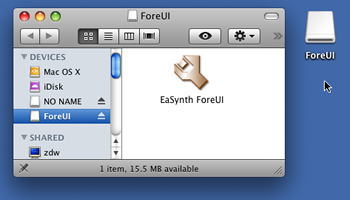
Now we have made the enhancement, you can download the “ForeUI.dmg” disk image file. Double clicking the file in Mac OS will mount the disk and you can find the “EaSynth ForeUI” application inside, you can copy it to any place you want, or drag it to the dock for future usage.
Adjustments for Mac OS
When running in Mac, ForeUI will have some different behaviors then before, including:
Other Enhancements (for All Platforms):
Directly access web browser in JRE5
If run older version under JRE5, ForeUI can not popup web browser window when it need to visit a URL. Now it is improved and ForeUI always able to access web browser.
Auto unify the format of boolean value in expression.
When editing expression for condition checking, we may need to use boolean value for comparation. Actually one the lower-case true/false values are acceptable, in order to avoid the confusion, the expression editor will auto-correct the boolean value to lower-case form.
ForeUI V1.37 is just released!
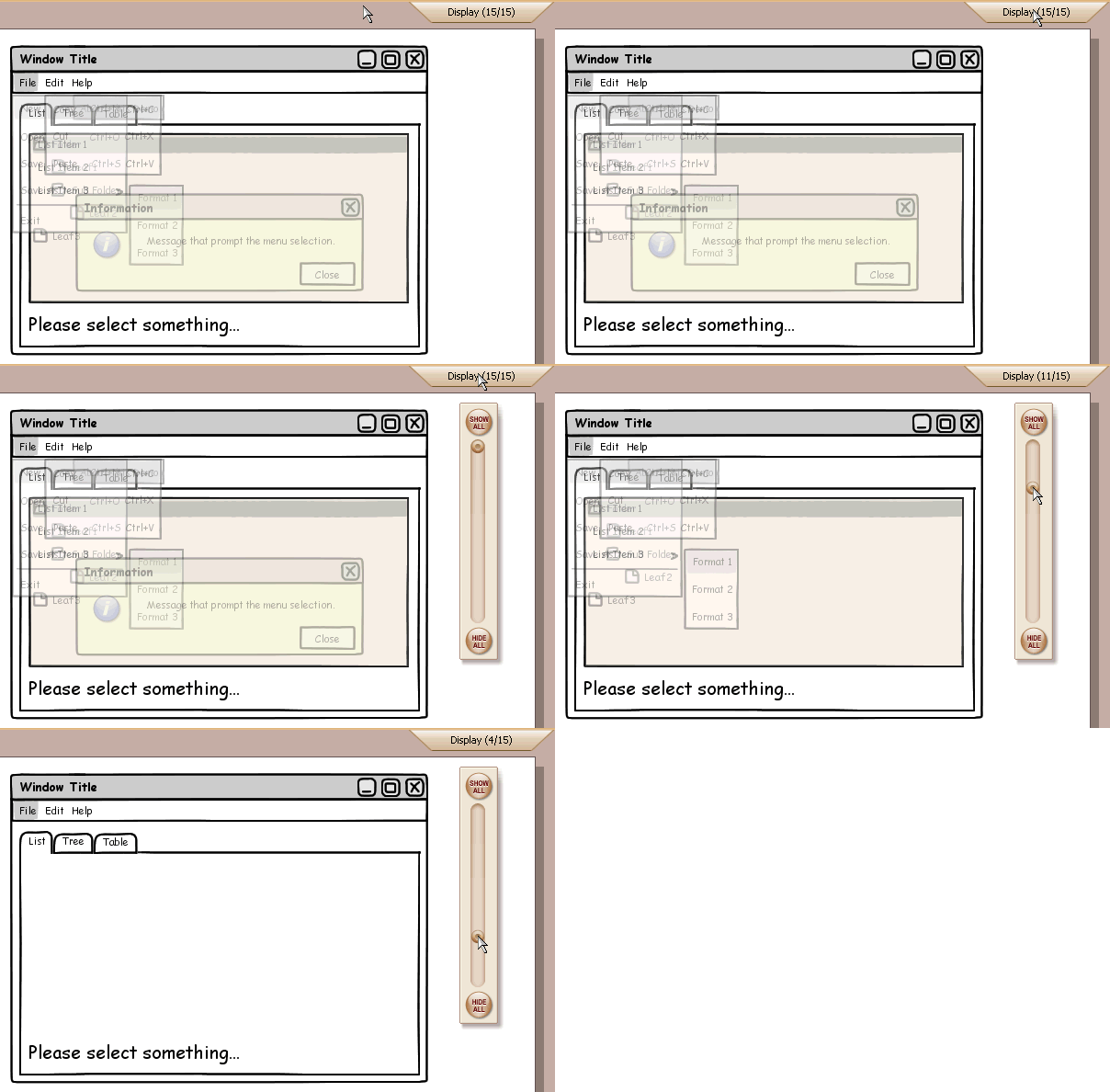
The most interesting update is the “Display Control” new feature, you can see a new button on the top-right corner with text “Display(?/?)”, you can click it to see how it works. It can exclude some elements for editing, so that you can easily work on the elements overlapped by others. This feature can partly solve the problem mentioned in the “Easy element select / hide-show elements” topic.
Please keep in mind that this feature is to ease the editing for complex wireframe, it only affact the display and will not affect the data. So just feel free to use it and it will NOT really delete your elements
Here is a gif animation to show how it works (click to view bigger figure) :
Another two enhancements in this version are:
Menu Bar/Tabs/Table can escape the comma in content.
It is discussed in the “Commas as delimiter for table columns causes problems” topic, thanks Ari and John for the suggestions!
UI theme switching can take effect without pressing “Apply” button.
Now we can change the UI theme without the additional clicking on the “Apply” button, so changing the them just need two clicks now
Also there is a bug fixing:
Bug_0073: Copy/Paste element does not update its behavior correctly.
This bug is similar with the one on page copying (Bug_0068, fixed in V1.35), but it is for element copying instead.
Hi everyone, I am proud to announce that ForeUI V1.35 is released today!
This new version is really interesting, you will find that ForeUI can do much more things than before
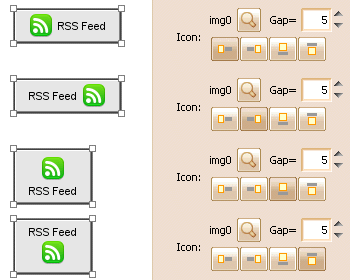
Button Icon Placement
This new feature is requested by Erik, he also gave us some useful suggestions, thank you Erik!
Now we can specify how to place the button icon, like this:
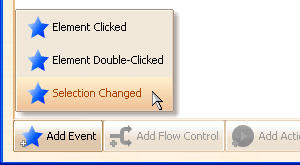
Selection Changed Event
This new event is really useful, it will be triggered when selection within the element is changed, with it we can implement multiple actions for one element, according to its selected item.
Now this event is available on Menu Bar, Menu, List, Tree, Table and Tabs:

Menu Bar/Menu/List/Tree/Table/Tabs Become Interactive
This enhancement is really big and exciting. Now these elements are not only images durring the simulation, they are interactive and you can operate on them!
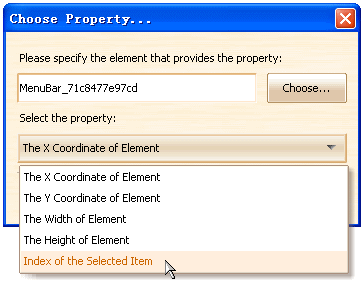
These elements also support a new property to indicate which item is selected:
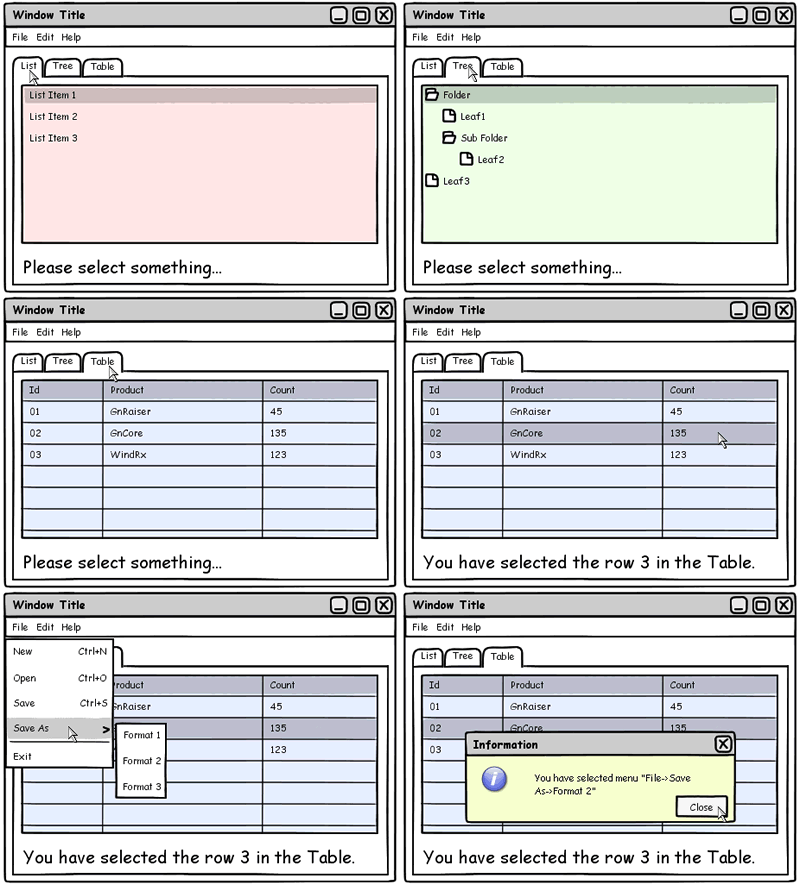
In order to demonstrate how can we do with these new features, I use about 10 minutes to create an interactive wireframe, which is simple but quite interesting. The simulation effect looks like this:
If you are interested, you can run the DHTML version of this demo in your web browser, via the links below:
Interactive Selection Demo with Hand Drawing UI Theme
Interactive Selection Demo with Wireframe UI Theme
Interactive Selection Demo with Windows XP UI Theme
Interactive Selection Demo with Mac OS X UI Theme
The plot file for this demo is also included in the install package, you can open the “interactive_selection.4ui” plot in ForeUI and see what’s inside.
This new version also fixed two bugs:
[Bug_0068] Duplicated pages don’t copy action targets well
Reported by Cristian Prundeanu, thank you Cristian Prundeanu!
[Bug_0072] Hand drawing theme: Image elements are always grayscale.
Reported by Jeremy, thanks for the reporting!
We’ve just released the V1.32 of ForeUI, which include some bug fixings, enhancement and customized element.
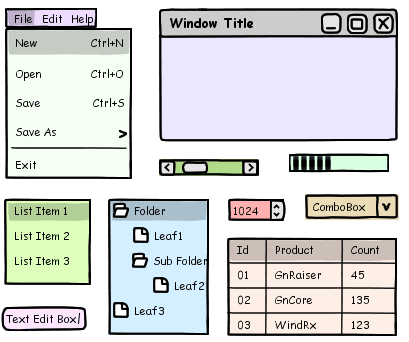
Hand Drawing Theme: Transparent background
We’ve introduced the hand drawing theme in V1.30, but the background of elements are always white in this theme. Cristian Prundeanu suggested a solution to allow filling the background for color, so here it is. Thank you Cristian Prundeanu
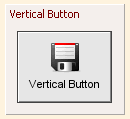
New Customized Element: Vertical Button
This element is required by Erik, it is useful when we need a button with vertical layout. Thank you Erik
This new version also fixed some bugs:
- Fixed Bug_0065: Transparent GIF image are not painted collectly.
- Fixed Bug_0066: The spaces at the beginning are not renderred on the plot.
- Fixed Bug_0067: The font is not exported to DHTML in V1.30
- Fixed Bug_0070: Image Export: choose existed file and change the name doesn’t make sense.
- Fixed Bug_0071: Hand drawing theme: Tabs should have different color when disabled.
I’ve just post a new article about the “Fidelity Independent Wireframe”. It seems I’ve made a new word
, anyway, I got the inspiration from the word ”Platform Independent”.
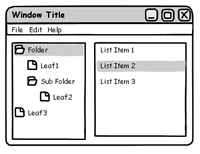
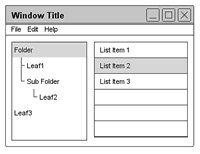
No matter which name is used, it is one of the most important design concept of ForeUI. We make prototype skinnable, so that the fidelity of prototype can be freely switched. The figures below are prototype for the same design but with various fidelities:
With ForeUI, we don’t have to create them one by one, just create one prototype and then switch the UI theme to export different figures. It is a significant time saving.
You can find more details about the prototype fidelity in the article.