Archive for September, 2009
Hello everyone, here’s a good news: ForeUI V1.60 is just released! This version is relatively big update, we’ve added more elements, events and actions, and some important enhancements are included.
iFrame and Web Browser Elements
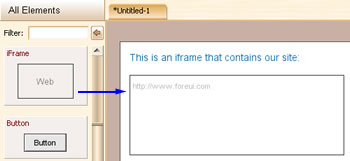
Now we’ve provided the iFrame element to ease the web prototyping. After you drag iFrame to the plot, you can double-click it to change its default URL.
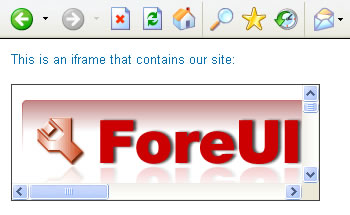
And the figure below shows the simulation:
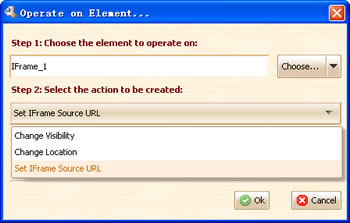
What’s more, you can change the URL of the iFrame during the simulation, via the “Set iFrame Source URL” action:
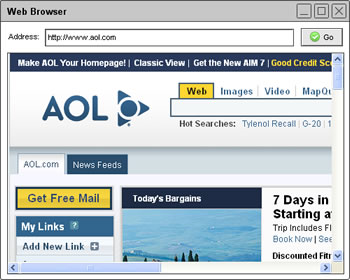
We also provide a new customized element to simulate the web browser, it allow you to input any url in the address bar and show the web content in it:
Add Note on Pages
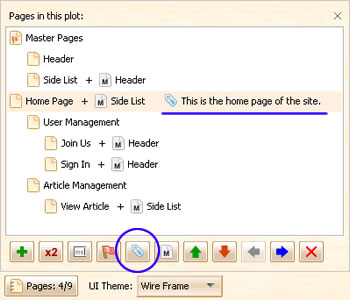
From now on ForeUI allow you to add note on page, the note for the page can briefly introduce the page, which is very useful.
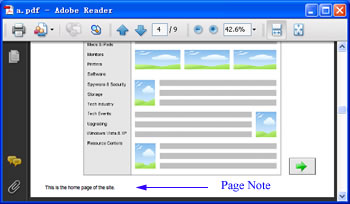
And the page note will be converted to footnote when exporting the pages to PDF:
New “Element Hidden” and “Window Closed” Events
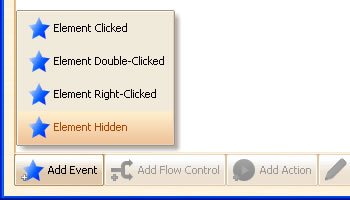
These two new events actually work in the same way, yet the “Window Closed” event is for Window element only and the “Element Hidden” event is available for all other elements. The event will be fired when element is hidden (by the action).
More Actions to Control Text Box Element
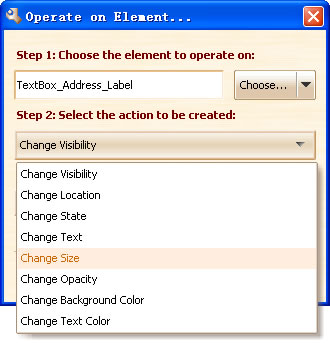
In V1.60 we added 4 new actions for controling the text box in simulation, they are “Change Size”, “Change Opacity”, “Change Background Color” and “Change Text Color”. These new actions provide more flexibility to implement many many special effect, that depends on your imagination
Improved Master Page
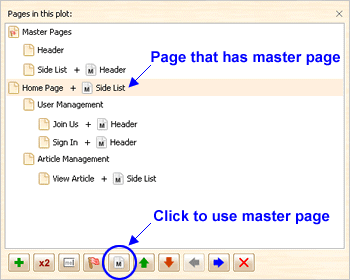
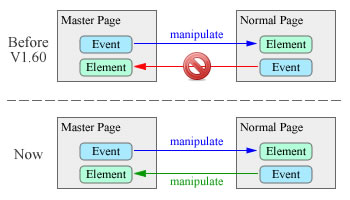
The old implementation of master page has a limitation, but now this limitation is eliminated. The diagrame below shows the difference:
Other Enhancements:
- TextEditBox element does not paint the caret by default.
- Smarter id allocation.
- Show page title in the browser status bar.
- Allow turn on/off the z value auto adjustment when overlapping elements.
Fixed Bugs:
- Bug_0093: The actions on page level is not updated when involved element id is changed.
- Bug_0094: The element id “A_B_C” is regarded as “A_B” when trying to edit the id.
- Bug_0095: Javascript exception when click on Table, List, Tree, Menu or Tabs element that has no “Selection Changed” event handler.
- Bug_0096: Copy & paste multiple elements, the element id in actions are not mapped correctly.
- Bug_0097: “Page Loaded” event handler is invoked twice.
- Bug_0098: The master page background is not updated immediately when switching the UI theme.
Today ForeUI V1.57 is released! This version mainly focus on the bug fixings, yet a few new features and enhancements are also included.
Enhancements for Mac OS X
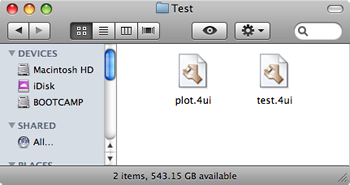
From this version we associate .4ui file with ForeUI in Mac OS X, that means you can double click any .4ui file and open it in ForeUI. We also make so GUI tuning for Mac OS X in this version, such as hiding the black border when dragging element to the plot area, changing some buttons’ size etc.
Display Settings Tab
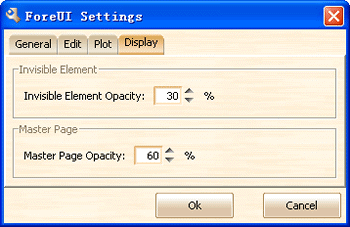
Now the settings window contains one more tab: Display. It allow you to specify the way to paint the invisible elements and the master pages in the editing area.
Window Draggable On/Off
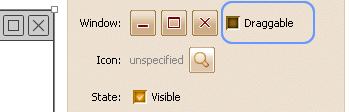
In V1.55 we implemented the dragging simultion for window element, however we realize that the window dragging is not always required, so we make it configurable. The default value is off, thus the old sample plot will work as they were.
Get Text Value During the Simulation
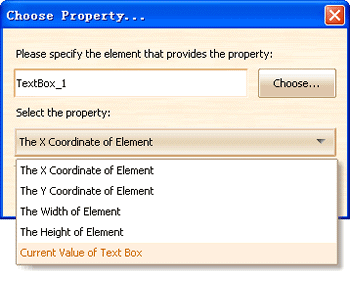
Now we can get the value of Text element during the simulation. This feature existed in Text Edit Box for a long time, now the Text element finally have this.
Fixed Bugs:
Bug_0088: Duplicated page may have repeated element ids for same kind of elements.
Bug_0089: Tabs element has no default selected index value in simulation.
Bug_0090: Progress bar freezes when trying to save customized element.
Bug_0091: After dragging image from image dock to replace the image on element, the cursor can not restore.
Bug_0092: Invisible element on window element is shown when window is close.
It tooks a little long for this update but we believe it is just worth it. So let’s see what’s new in this version.
Master Page
From now on, ForeUI supports master pages. What is master page? Well you can regard it as a “background” page which can be referenced by other pages. All pages that use master page will inherit the content of it (including the behavior). ForeUI makes things much simpler: any page can be used as a master page; the master page can have its own master page too.
In the editing area, the content of master page will be painted in 40% transparent channel. The cotent within master page can not be selected or edited directly, you need to switch to the master page for editing.
We’ve refactorred the “multipage.4ui” and “website_simulation.4ui” examples and use the master pages to simplify the design.
Element ID Editing
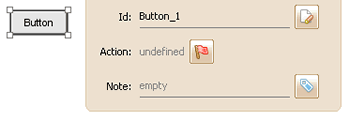
Now ForeUI allows you to change the id of the element. It seems to be a simple feature yet we did a lot of work on it. We’ve changed the machanism to generate the element id, and make the id format more simple.
Improved Window Element
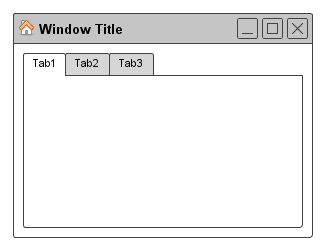
Window elements become interactive for simulation now. You can drag the window and place it on different location, and you can click its “x” button to close (hide) it. We’ve made an example named “drag_window.4ui” to demonstrate this, you can also run its simulation in web browser.
Also the window element can have icon on its title bar now.
Smaller Calendar Element
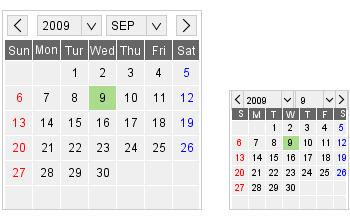
Previously the calendar element can not be smaller than 200×200, but now you can resize it to 120×120. You can see its text content also changed since the space is not sufficient.
Other Enhancements
- Remember the behavior editor window size.
- Allow changing the group’s z-index.
- Move configure date to the preference folder.
- Change GroupFrame minimun size to 20×20.
Fixed Bugs
- Bug_0085: “Selected & Disabled” radio button or checkbox gets enabled on hover.
- Bug_0086: Should ignore elements with lower z-index when move or show/hide element with “Include elements within the area” option.
- Bug_0087: Go to page action on first page loaded does not work.