|
Multilevel Menu |
  
|
|
Multilevel Menu |
|
Multilevel Menu belongs to the "Widgets" category and it has different look in various UI themes.
UI Theme: |
Hand Drawing |
Wire Frame |
Windows XP |
MAC OS X |
Window 7 |
Legend |
|
|
|
|
|
Double clicking the Multilevel Menu element can change the text for each menu item.

Similar with the Menu element, each row is for a menu item. You can append a comma plus hot key tips after the item text, or use 3 minus or equal signs to get a separator, or append ",>" after the item text to mark the item as expansible. The difference is that you can use Tab here to make a multilevel structure of menus.
If you run the DHTML simulation, the Multilevel Menu element will be converted to a real, functional multilevel menu.
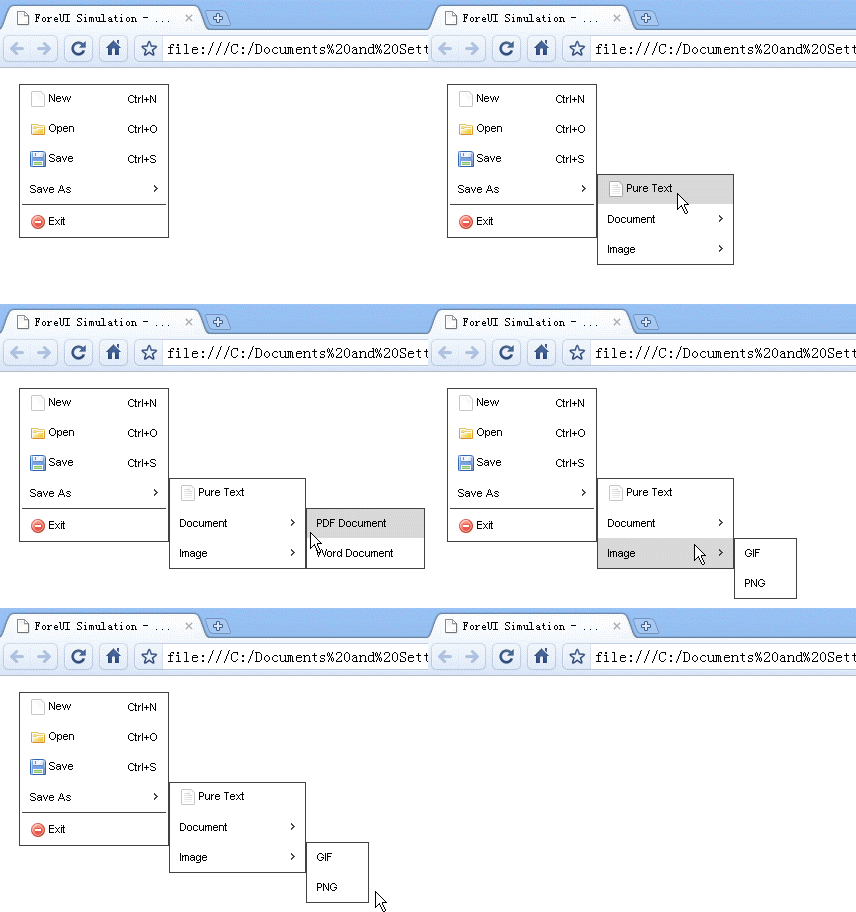
When you choose an item from the multilevel menu, the “Selection Changed” event will be triggered, you can handle this event can check its selection identification, which will be a string like “a.b.c”. Here is an example:
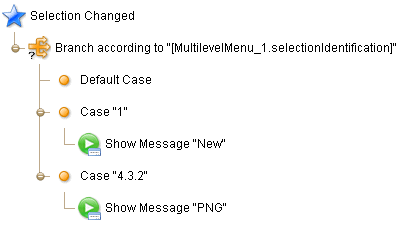
In the example above, the case “1″ means user selected the first item in the level-1 menu; Case “4.3.2″ means user click the fourth item in the level-1 menu, then click the third item in a level-2 menu, and finally select the second item in the level-3 menu.
Remarks: The identification is not a number but a string, so you have to use the quote marks for each case.
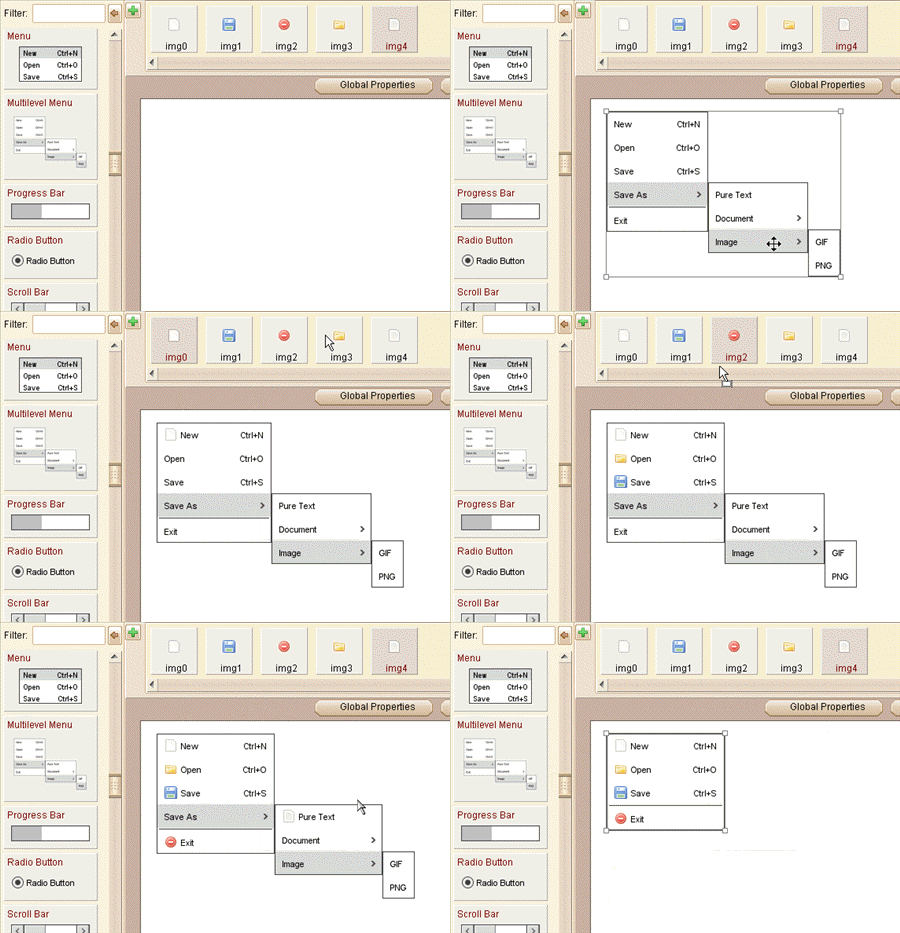
Multilevel Menu can accept image from image dock as its icon at each menu item. You can change its icon from the floating tool pane, or directly drag the image into the menu item.
Element Specific Facilities
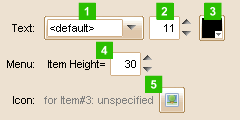
| 1. | Font of the text |
| 2. | Text size ( in pixels ) |
| 3. | Text color |
| 4. | Set height of the selected item |
| 5. | Set icon for the selected item |
Element Events
Element Clicked, Element Double-Clicked, Element Right-Clicked, Element Initialized, Element Hidden, Mouse Over, Mouse Out, Mouse Move, Mouse Down, Mouse Up, Global Mouse Move, Global Mouse Down, Global Mouse Up, Key Down, Key Up, Custom Event, Selection Changed
Element Actions
Change Visibility, Change Location
Element Properties
Id, X Coordinate, Y Coordinate, Width, Height, Visible, Note


