|
Menu Bar |
  
|
|
Menu Bar |
|
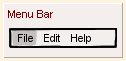
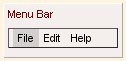
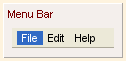
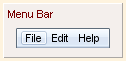
Menu Bar belongs to the "Widgets" category and it has different look in various UI themes.
UI Theme: |
Hand Drawing |
Wire Frame |
Windows XP |
MAC OS X |
Window 7 |
Legend |
|
|
|
|
|
Double clicking the Menu Bar element can change the title for each menu.
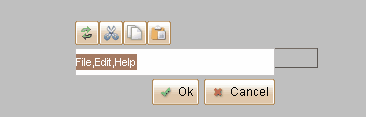
Menu Bar can accept image from image dock as its icon at each menu. You can change its icon from the floating tool pane, or directly drag the image into the menu.

Element Specific Facilities
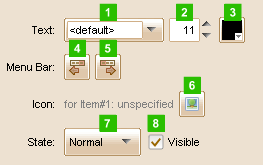
| 1. | Font of the text |
| 2. | Text size ( in pixels ) |
| 3. | Text color |
| 4. | Select previous menu |
| 5. | Select next menu |
| 6. | Set icon for the selected menu or set a same icon for all menus of the bar when selected none of it |
| 7. | 8. Change state for the menu bar |
Element Events
Element Clicked, Element Double-Clicked, Element Right-Clicked, Element Initialized, Element Hidden, Mouse Over, Mouse Out, Mouse Move, Mouse Down, Mouse Up, Global Mouse Move, Global Mouse Down, Global Mouse Up, Key Down, Key Up, Custom Event, Selection Changed
Element Actions
Change Visibility, Change Location, Change State
Element Properties
Id, X Coordinate, Y Coordinate, Width, Height, Visible, Note