|
Pie Chart |
  
|
|
Pie Chart |
|
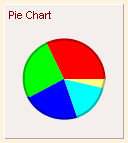
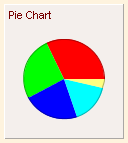
Pie Chart is a basic element. It has thicker border in the Hand Drawing theme, and has the same look in other UI themes.
UI Theme: |
Hand Drawing |
Other Themes |
Legend |
|
|
Double clicking the line chart can edit the data for the pie chart.
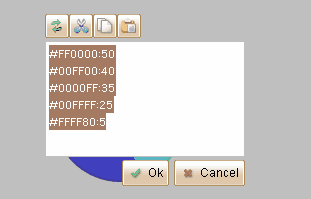
Each row is for a piece, and its format is "Color:Value".
Element Specific Facilities
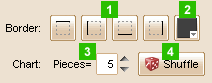
| 1. | Show/hide any border of the chart |
| 2. | Border color |
| 3. | 4. Input the pieces count, and press the "Shuffle" button to generate the chart randomly. |
Element Events
Element Clicked, Element Double-Clicked, Element Right-Clicked, Element Initialized, Element Hidden, Mouse Over, Mouse Out, Mouse Move, Mouse Down, Mouse Up, Global Mouse Move, Global Mouse Down, Global Mouse Up, Key Down, Key Up, Custom Event
Element Actions
Change Visibility, Change Location
Element Properties
Id, X Coordinate, Y Coordinate, Width, Height, Visible, Note