
Hello everyone, today we just released ForeUI V2.72! This version provides some new events, actions and properties.
New Actions and Properties for Table
We have implemented 3 new actions to append, insert or delete data row for the Table element, as shown below:
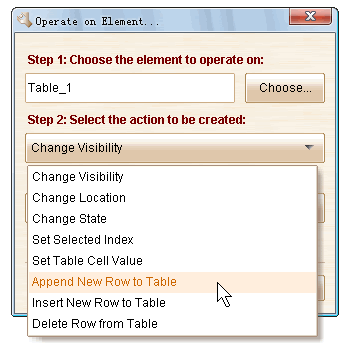 Also there are two new properties available for Table element:
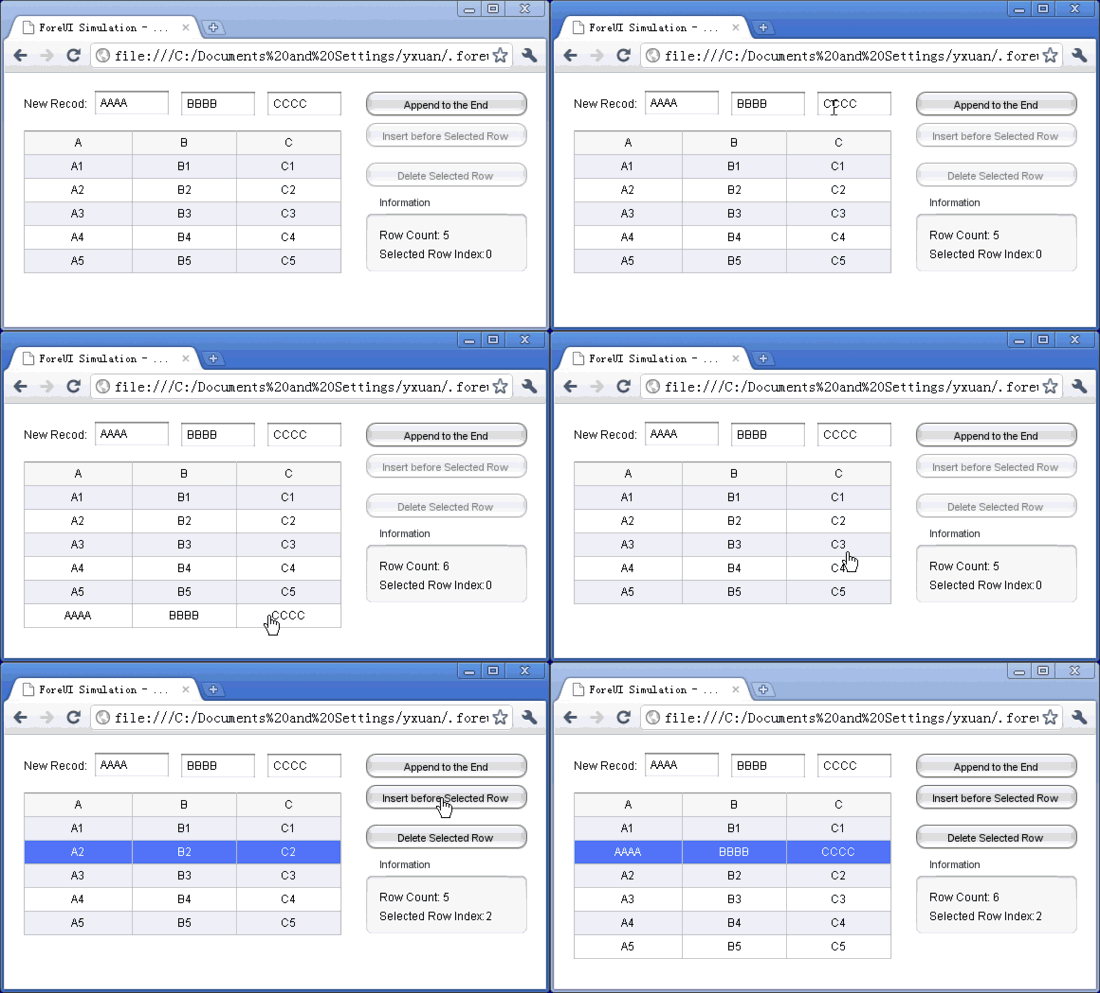
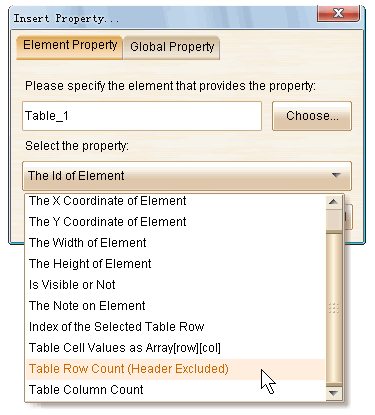 What’s more, we made an enhancement on the “Table Cell Values” property, thus you can use variable (property) as the row or column index for the array. With all these new facilities, we could use Table element as data reposition, to read/write real data in the prototype. Thank Alan Finger’s suggestions on these.
Here is an example to make use of these facilities, you can also review it here:
New Event and Properties for Accordion
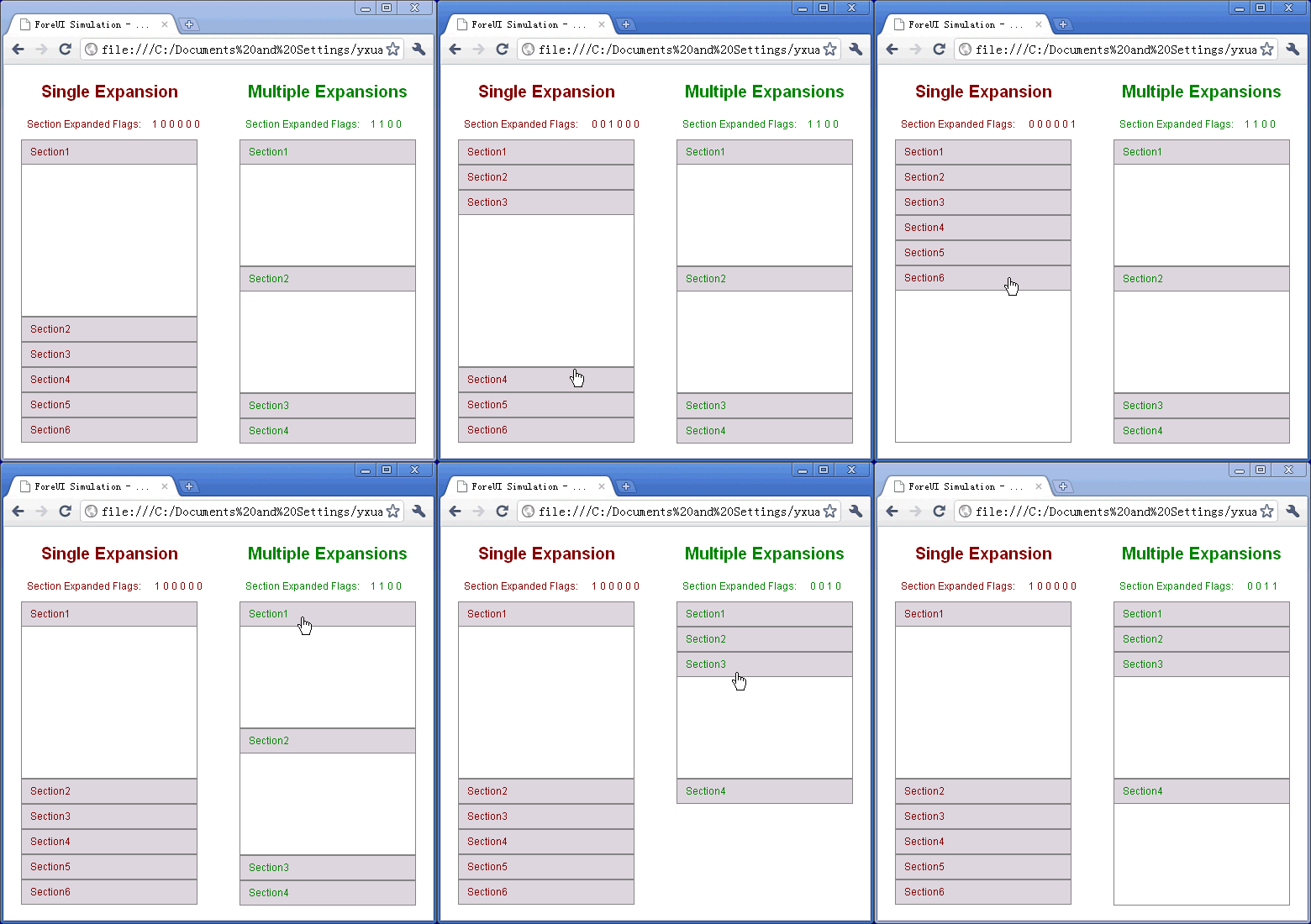
We added a new event named “Section Expanded/Collapsed” for the Accordion element. This event will be triggered when you clicked on the header of section and expand/collapse the section. Thank Tim’s suggestion on this.
What’s more, 2 new properties are available for Accordion. They are “Section Count” and “Section Expanded Flags”.
Using these newly added event and properties, you could find out which section is expanded or collapsed. The animation below is an example and you can also review it here:
“Note” Property for All Elements
Now with this new property, you can access the note for element during the simulation. This property exists in all elements. Thank Tim’s suggestion.
“Loaded as Master Page” Event for Pages
Any page can be used as master page. However the “Page Loaded” event will not be triggered if the page is just loaded as master page. So we add the “Load as Master Page” event for page. It will be triggered when the page is loaded as master page. Thank Tim’s suggestion.
Fixed Bugs:
- Bug_0295: Reduce the height of a table row and make it smaller than the default value, the change could not take effect in simulation.
- Bug_0296: When Table has no selected row, its “selectedIndex” property value should be 0 instead of -1 in simulation.