|
Set Selected Index |
  
|
|
Set Selected Index |
|
Set Selected Index action will change the current selection of certain element. The Selection Changed event will be triggered after the action performed.
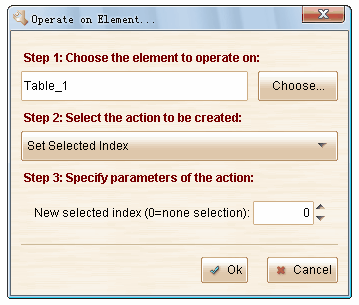
Remarks: the selected index starts from 1. The first item has the index 1. If you set the selected index to 0, the action will clear the selection.
This action is available for these elements: